Catalog
The Catalogue presents the corpus as a bookshelf: the unit is the edition, not the tablet. It is meant for the reader holding a citation — Emar VI.3 no. 42 — who wants to reach the text, or who wants to see at a glance what a given volume covers.
Catalogue Page: general view
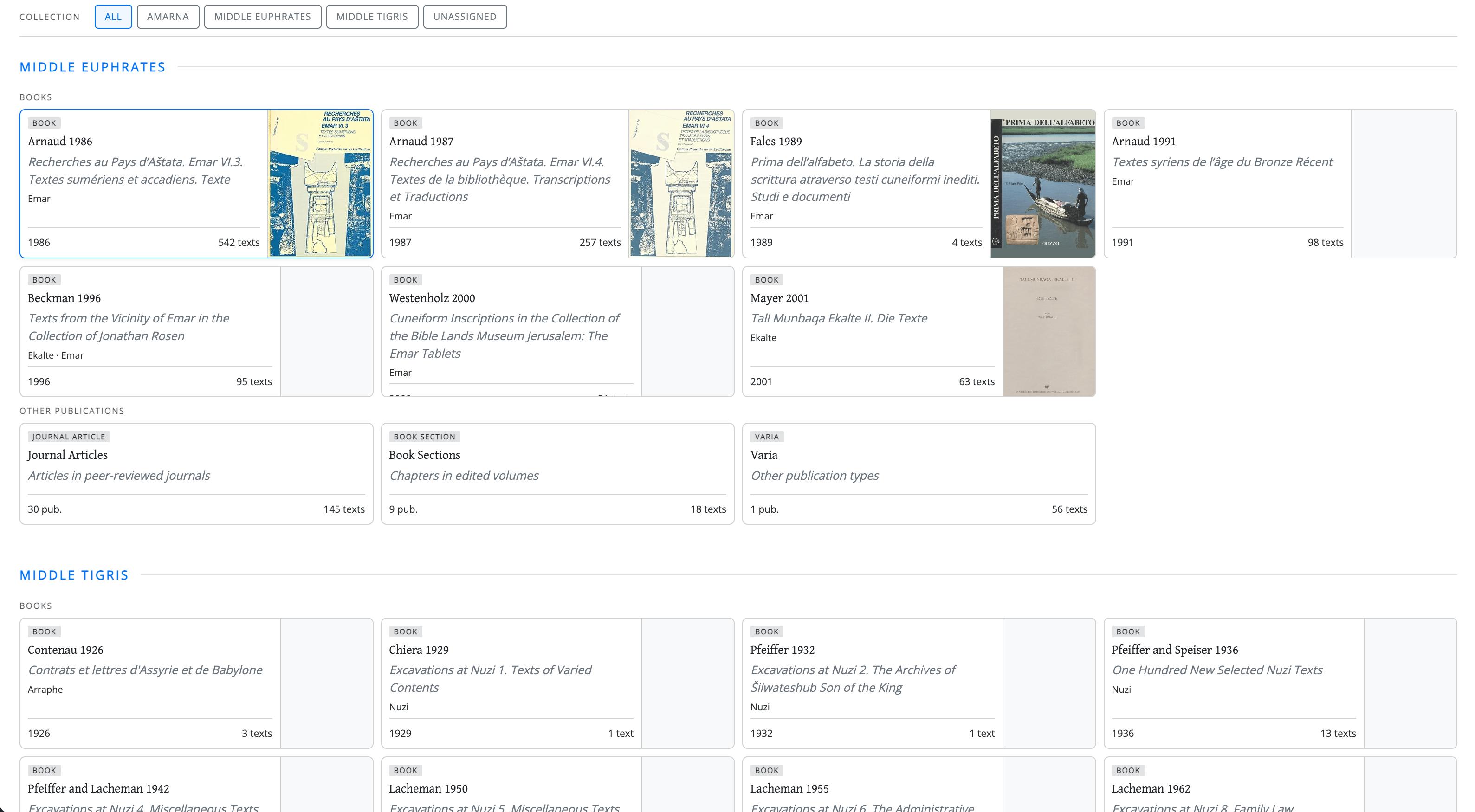 Fig. 1
What you see depends on your account
The Catalogue only shows the texts your account is allowed to see, and the count printed on a box (12 texts) is the number of texts visible to you in that edition. See Who sees what.
1. How the page is organised
Three nested levels, from the outside in:
- Collection — the archive group the texts belong to (e.g., Amarna, Middle Euphrates, Nuzi). Each collection is a horizontal band of the page.
- Type of publication — within a collection, entries are split into Books and Other publications, the latter comprising Journal Articles, Book Sections and Varia.
- Edition — a box.
The distinction at level 2 matters more than it looks. In the Books row, one box is one volume: the box is the volume, and its contents are that volume's texts. The other three are aggregate boxes: a single box gathers many separate publications — every journal article covering that collection, all its book chapters, everything else. So the count on a Books box tells you how large a volume is; the count on an aggregate box tells you how much of the collection is scattered across minor publications.
2. Reading a box
Each box carries the edition's short reference, its full title, the ancient sites it covers, the year of publication and the number of texts it contains. Volumes in the Books row also show their cover; a plain grey panel means the cover image has not been added yet, not that the volume is without one.
Boxes are ordered by year of publication, then alphabetically by reference.
3. Opening a box
Clicking a box opens a drawer immediately below its row, listing the sigla of every text in that edition. Clicking the box again closes it; clicking a different box moves the drawer.
Inside the drawer each siglum is a link to the text. Sigla are listed in natural order,
so RAE 2 comes before RAE 10 — not after it, as strict alphabetical ordering would
have it.
Catalogue Page - detail of an opened drawer
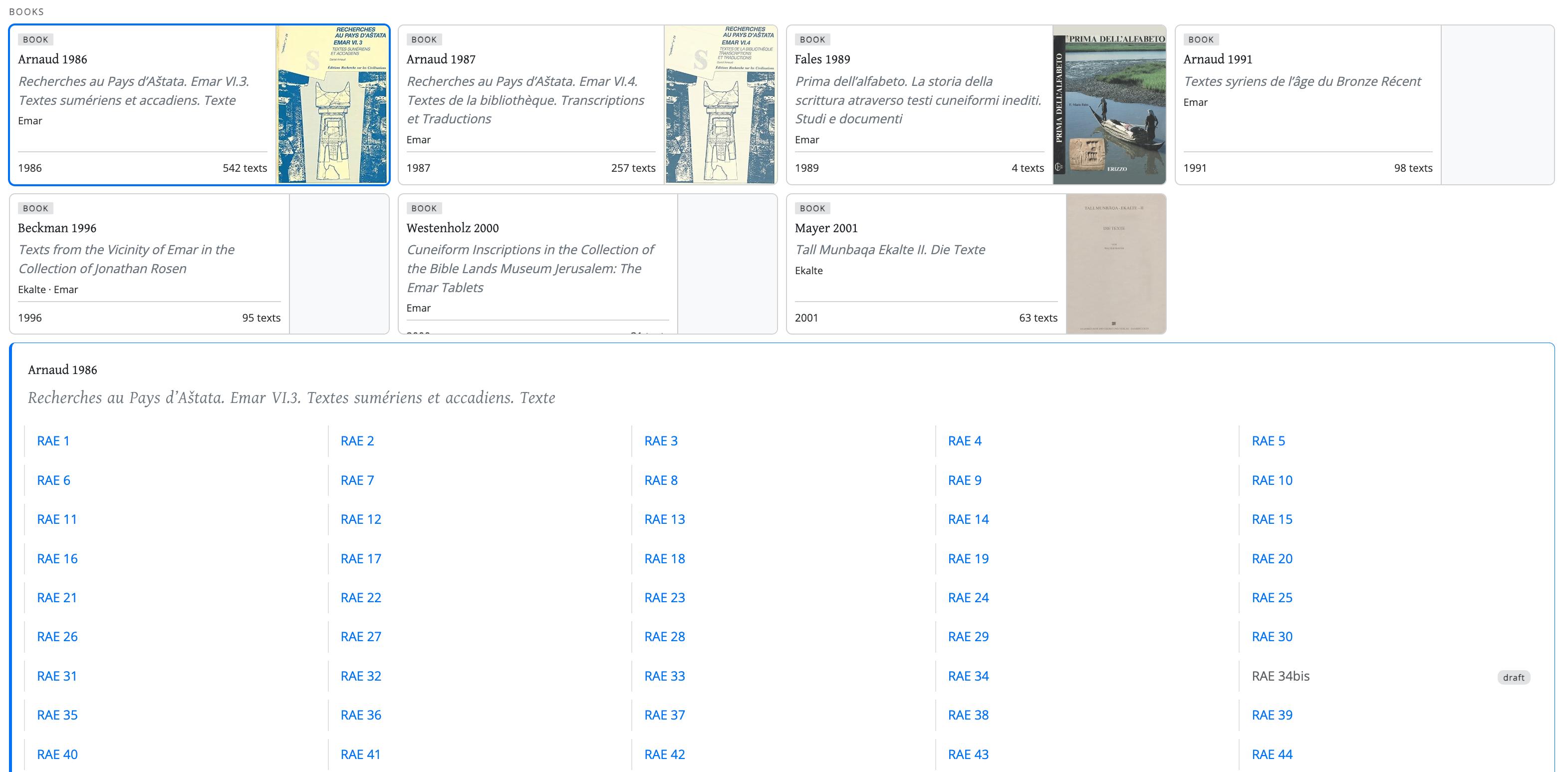 Fig. 2
4. Texts published more than once
A tablet edited twice does not appear twice. It is listed once, under the edition taken as the reference one, and the other publications point back to it:
- a siglum followed by an arrow (
ASJ 13 32 → Ek 90) is a re-publication; the arrow leads to the entry that holds the text; - the small icon beside a siglum reveals, on hover, the other sigla under which the same tablet has been published.
Duplicates
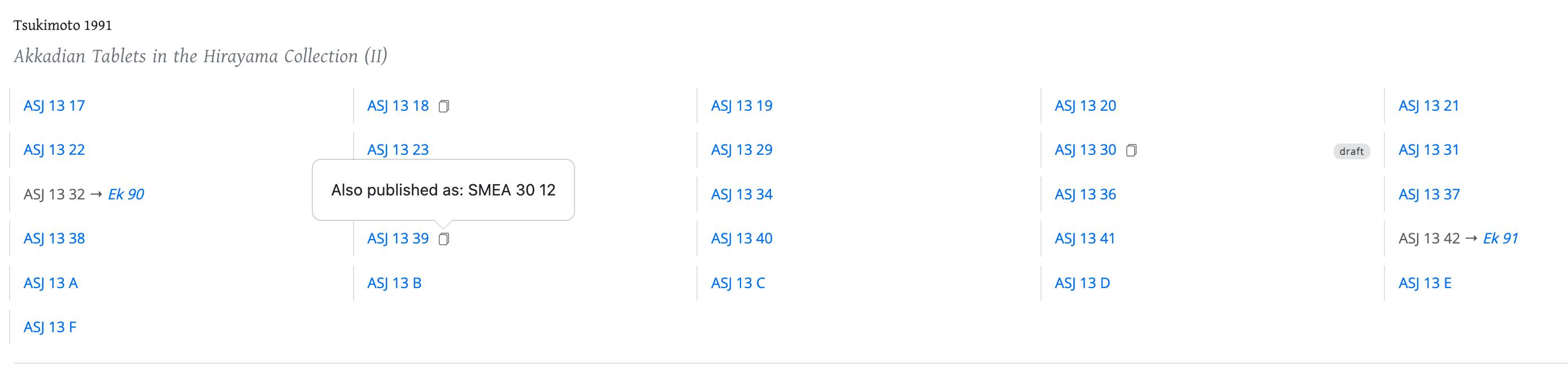 Fig. 3
The reason for the arrangement is worth stating plainly: counting editions is not counting tablets. Without it, a corpus of a thousand tablets edited on average one and a half times would present itself as fifteen hundred documents.
5. Filtering
Two rows of buttons at the top of the page. Collection restricts the view to one archive group; once a collection is chosen, a second row appears offering its individual Sites.
These filters do not remove the boxes that do not match — they fade them. The non-matching material stays on the page, greyed out, so that a filtered view still shows where the selection sits within the whole.
Filters
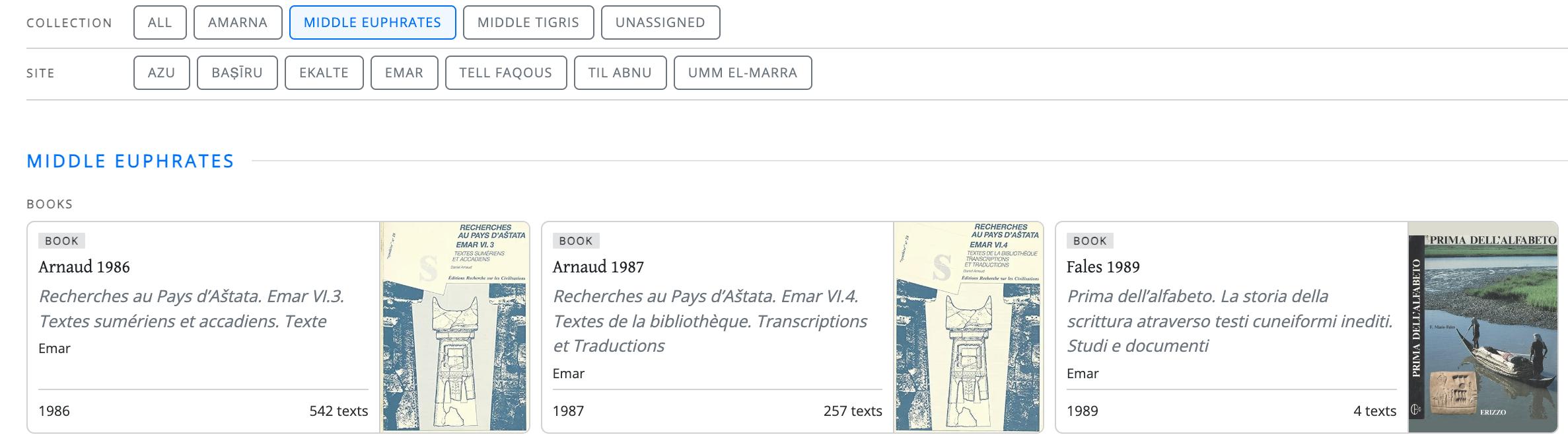 Fig. 4
Looking for texts by their characteristics rather than by publication? Use the Database.