The Search Engine
Introduction
The whole DAPCA infrastructure is built around the token: the minimal unit into which a transliterated text is decomposed when it enters the corpus (see the tokenization process).
Tokens usually correspond to lexical words, but the notion is extended to the epigraphic notations that carry the documentary structure of the artefact — blank spaces, seal notations, ruling lines. These preserve the layout of the original and are part of the text; they are not returned among search results.
Tokenisation is what makes the rest possible. Indexing at token level keeps queries fast over a large corpus, and it allows a search to target the individual word while the higher structures — syntagma, line, paragraph, document — are reconstructed around the hit when the result is displayed. Philologically, it also means that nothing has to be flattened: the spatial relationships and epigraphic features that a simplified digital representation usually discards are still there, beside the word you searched for.
One practical consequence is worth stating early. Because the unit is the token and not the
displayed string, breakage does not hide a word. Searching pil₂-su-ᵈda-gan returns the
name wherever it is attested, whether the transliteration reads pil₂-su-ᵈ[da-gan] or
[pil₂-su-ᵈda]-gan: the editorial brackets belong to the rendering, not to the stored form.
Search form

Search syntax
The search engine is an interface to a PostgreSQL database and to its text-processing functions reference. Queries are translated into SQL for you, but the full expressive power of the underlying engine remains available: pattern matching is done with regular expressions (or more in deep), which is what makes it possible to accommodate orthographic variation, partial preservation and uncertain readings in a single query.
How far you go into that syntax is up to you. A plain string works; the metacharacters are there when a plain string is not enough. See Word search for the syntax itself, with examples.
The search form
1. Writing the query: input helpers
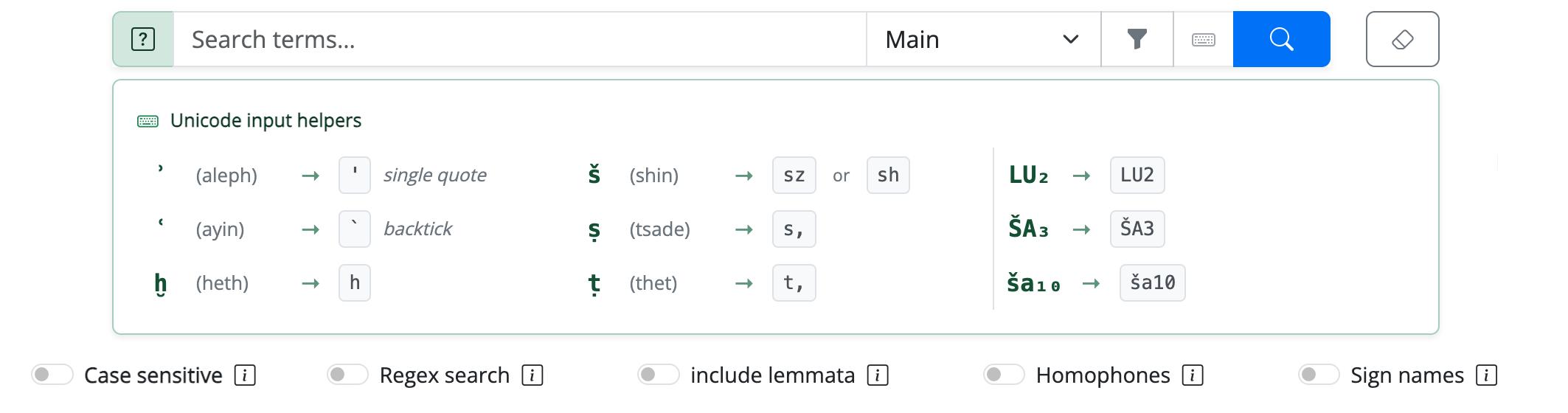
The transliteration uses characters that are awkward to type. You do not need them: the
query is normalised before it reaches the database, so an ASCII spelling finds exactly what
the diacritic spelling finds. The green ? button beside the search box shows the
conversions.
| Type | Get | Type | Get | |
|---|---|---|---|---|
' (single quote) |
ʾ (aleph) | sz or sh |
š | |
` (backtick) |
ʿ (ayin) | s, |
ṣ | |
h |
ḫ | t, |
ṭ |
Sign indices are typed as ordinary digits and converted to subscripts: LU2 → LU₂,
ŠA3 → ŠA₃, ša10 → ša₁₀.
Unicode input helpers
2. Search mode
The drop-down beside the search box selects how the string is interpreted — not where the search is run. At present it holds a single entry, Main, which covers two behaviours and chooses between them by itself:
| What you type | What happens |
|---|---|
| one word | the pattern is matched against single tokens → Word search |
| two or more words separated by a space | the pattern is matched against consecutive tokens → Multi-word search |
There is nothing to select: the space is what decides.
Boolean operators: what works today, what is planned
Alternation (boolean OR) already works, in the regular-expression form a|b —
but only with Regex search enabled. With the switch off the query is taken
literally and the vertical bar is searched for as a character, which is why an
apparently correct a-na|i-na returns nothing.
Two operators are planned and not yet available:
- document-level co-occurrence (boolean AND) — texts containing both terms anywhere in the document, as opposed to the sequence search described above;
- exclusion (boolean NOT, written
token1 -token2) — texts containing the first term but not the second.
3. Filters
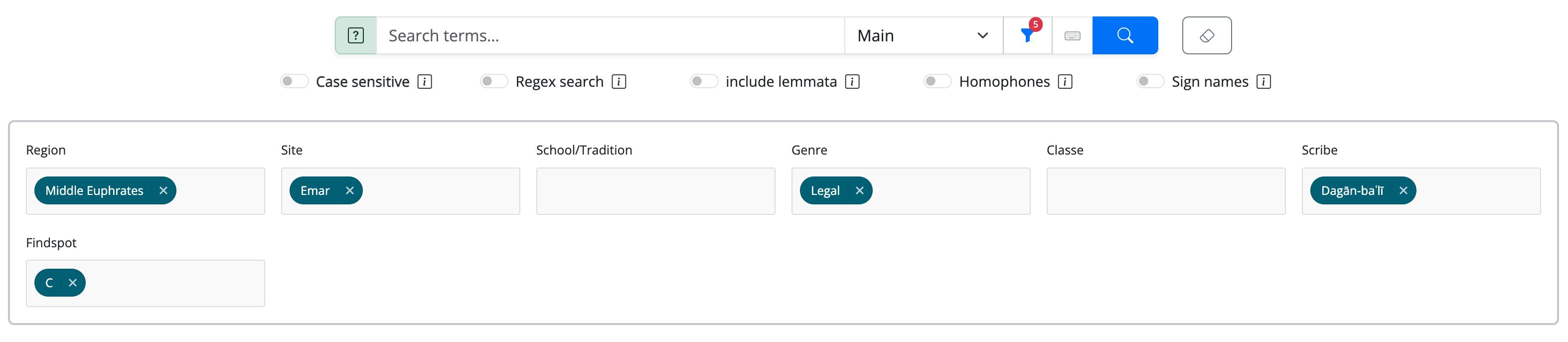
The funnel button opens the filter panel; the red badge counts how many filters are active. Each filter is a multiple-choice list, and they work as a cascade: choosing a value recalculates the others over what is left, so a combination that would return nothing cannot be built.
| Filter | Available to |
|---|---|
| Region · Site · School/Tradition · Genre | everyone |
| Classe · Scribe · Findspot | editorial accounts only |
Filters apply before the search: they restrict the corpus that is interrogated rather than trimming the result list afterwards. This is what makes them worth using on a broad query — a two-character pattern over one archive is a different proposition from the same pattern over the whole corpus.
Filters applied before the search
4. The five switches
Below the search box, five switches change what counts as a match. They can be combined.
Query switches

| Switch | What it changes |
|---|---|
| Case sensitive | Distinguishes upper case (logograms) from lower case (syllabic readings). Off — the default — ŠA and ša are the same query. |
| Regex search | The string is read as a regular expression instead of literally. This is what enables ^, $, ., ?, *, +, \|, character classes; with the switch off those characters are searched for as themselves. |
| include lemmata | Extends the match to lemmata and to normalised name forms, not only to written forms. Searching šâmu then returns i-ša-am, ta-aš-ta-ma and the rest of the paradigm. |
| Homophones | Normalises homophone indices, so that qi-bi-ma also retrieves qi₂-bi₂-ma. Experimental. |
| Sign names | Matches the sign sequence rather than the reading: DU₁₀-ab, DUG₃-ab and ṭa₃-ab are three readings of the same sequence of glyphs and are retrieved together. Experimental. |
What experimental means here
Homophones and Sign names widen recall, and with it the amount of noise. They are the right tool when you are exploring — looking for a form you cannot spell, or for variants you do not know in advance — and the wrong one when you are assembling a dataset you intend to count.
5. Results and groupers
Results are returned aggregated and sorted alphabetically. The baseline grouping is the word form; the Additional groupers control lets you aggregate by class, site, scribal school, scribe or genre as well, which is often the quickest way to see whether a form belongs to one archive or runs across the corpus.
Searching is corpus-wide
Unlike the catalogue and the database, the search runs over the whole corpus, including texts that are not yet published. A text you are not allowed to open still appears among the results — as a word form, a tablet siglum and a line number — but the reference is not a working link, and following one to a text outside your permissions returns a permission error.
In other words: the search tells you that a form is attested; it does not thereby give you access to the text.