Seals
/tablet/<id>/seal — editorial accounts holding permission to edit seals.
1. One distinction, first of all
In sigillographic usage "seal impression" means the mark left on a particular tablet. In DAPCA the two things are kept apart, and the vocabulary follows the data:
| Seal | the object — its siglum, type, inscription, images, bibliography. It lives in the seal catalogue and exists independently of any tablet. |
| Attestation | the fact that this seal appears on this tablet. One seal has as many attestations as the tablets it was impressed on. |
This mode manages the attestations of the tablet you are looking at. It never edits the seal object itself: that is done in the seal catalogue.
Seals view
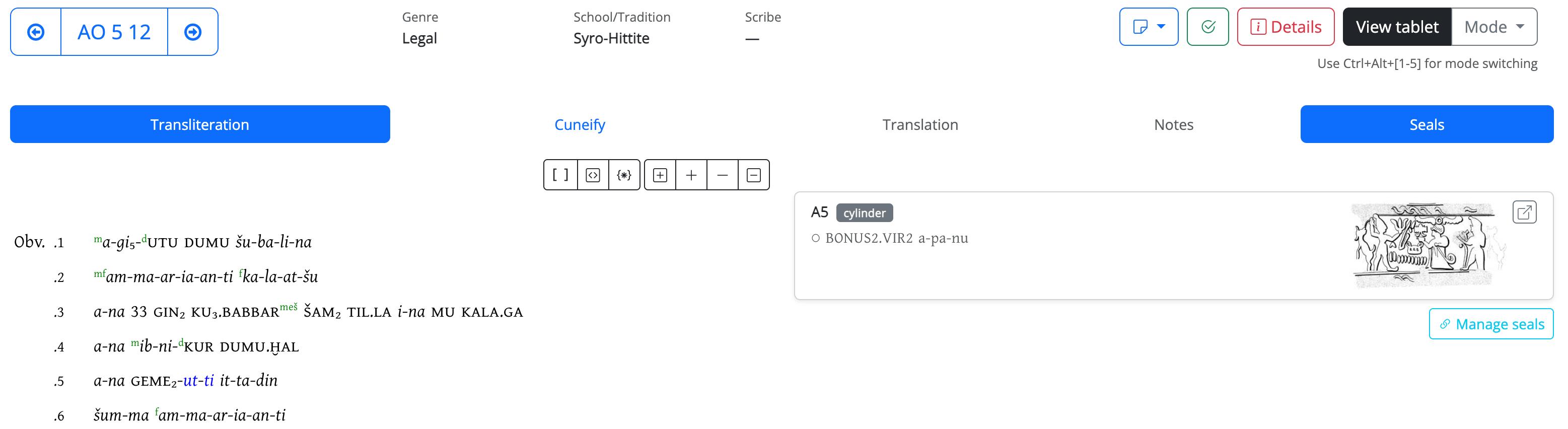
2. Attesting a seal
Search the catalogue by siglum or inscription in the box at the top of the right-hand column, then press Attest. A seal can be attested only once per tablet.
If the seal is not in the catalogue yet, create it first — the link Create a new seal opens the catalogue form in a new tab — then come back and search for it here.
3. Anchoring the attestation to the text
Seals link form
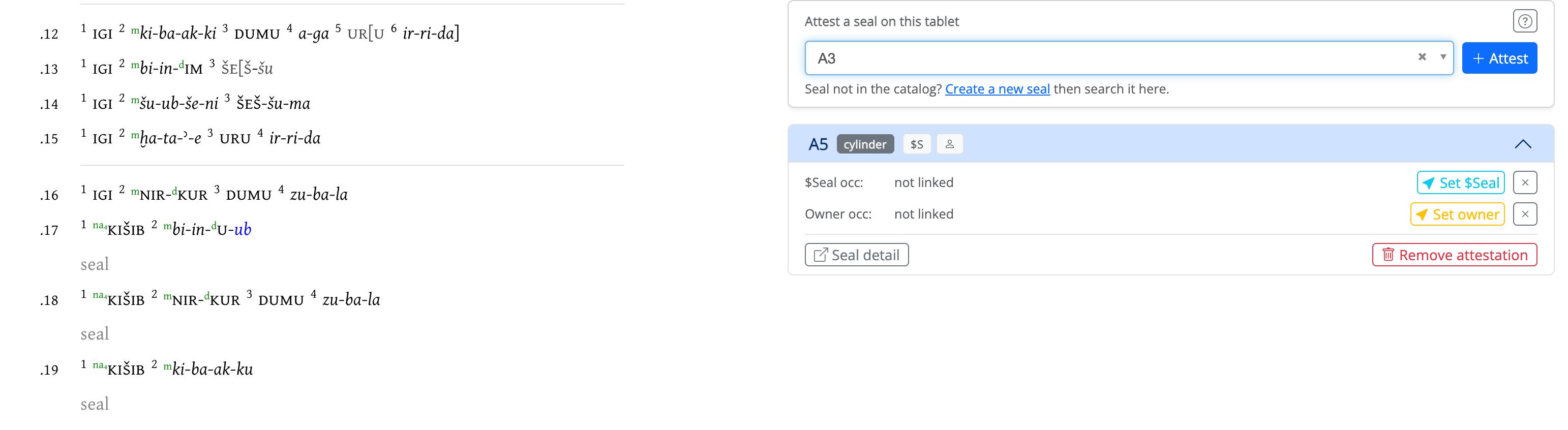
An attestation can be tied to two points in the transliteration. Both are optional, and both are made the same way: expand the attestation, press the button, then click the token in the text.
| Link | What you click | What it records |
|---|---|---|
| Set $Seal | the $Seal … notation in the text (e.g. $Seal A45) |
where the impression is described on the tablet |
| Set owner | the personal-name token of the owner, as named on this tablet | who the seal belonged to, according to this text |
The badges on the collapsed attestation tell you at a glance what has been linked and what has not, so an unfinished attestation is visible without opening it.
The owner link is what makes the question "which seals belonged to person X?" answerable across the corpus. It is recorded per tablet on purpose: the same owner may be named differently from one text to another, and it is the occurrence — not a normalised string — that is linked.
$Seal tokens come from the transliteration
The $Seal A45 notations are part of the text as it was imported, not something this
mode creates. If the token you need is missing, add it in
Edit tablet; if it is there but not clickable, it is likely that the
tablet is being displayed in a mode that renders those notations as plain text.
4. Removing
Remove attestation deletes the link between this tablet and the seal, together with its two anchors. The seal object stays in the catalogue, with all its other attestations untouched.