Mark genealogies
/tablet/<id>/marknames — Advanced users and Administrators only.
This mode records kinship as the tablet states it: that the name written here is the son of the name written there. It is a statement about two occurrences in one text, and nothing more. Whether those two occurrences correspond to two individuals already known elsewhere is a separate question, answered in Prosopography and in Genealogy.
Keeping the two apart is deliberate. The tablet is evidence; the family tree is an interpretation built on top of many pieces of evidence. This layer is the evidence.
Input form
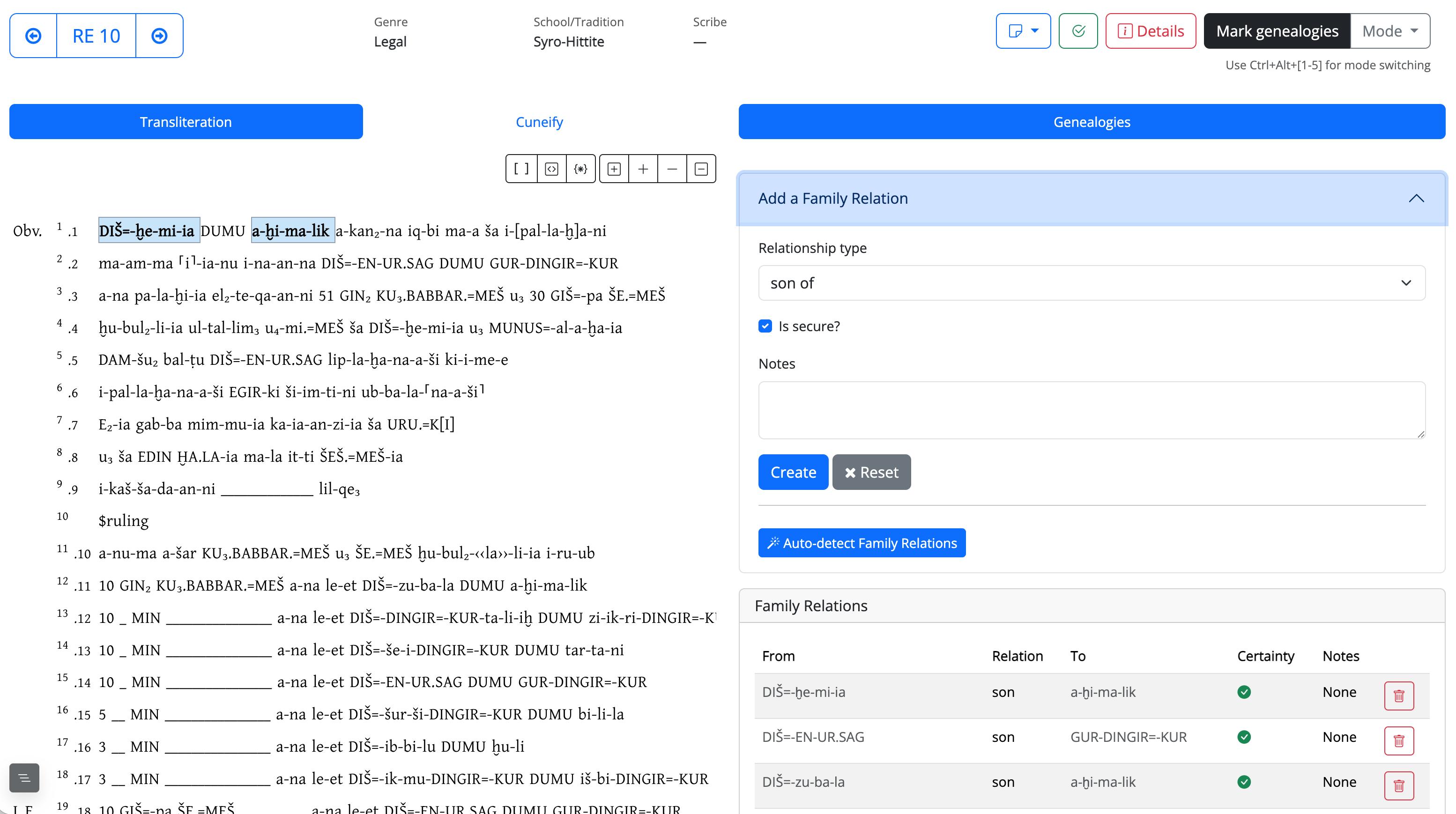
1. Recording a relation by hand
- Select in the text the two tokens involved — the name and the name it depends on.
- Open Add a Family Relation in the right-hand column.
- Choose the relationship type: son of, married to, adopted son, nephew of.
- Leave Is secure? ticked when the reading is beyond doubt; untick it when the passage is damaged, the filiation is ambiguous, or the identification of one of the two names is uncertain.
- Add a note if the case needs an argument, and submit.
Relations already recorded on the tablet are listed below the form, in the order in which they occur in the text, and can be deleted from there.
2. Automatic detection
Auto-detect Family Relations scans the tablet for the standard filiation pattern —
a personal name, the word DUMU, another personal name — and records each occurrence of
it as a son of relation, marked as secure. Relations that already exist are not
duplicated, so the button can be pressed again after the text has been corrected.
What it will not do:
- it only recognises the
PN DUMU PNsequence in that exact order; filiations expressed differently, or interrupted by other words, have to be entered by hand; - it only looks at tokens classified as personal names. A father's name that was never
marked
p_in the transliteration is invisible to it — which is one more reason to fix the class markers in Edit tablet before working here; - it makes no judgement about who those people are. Two homonymous fathers on the same tablet produce two relations, correctly, and nothing links them.
Run it early, then read the result
On a tablet full of filiations the automatic pass does the bulk of the work in one click; what is left to do by hand is the interesting part — the damaged passages, the adoptions, the marriages.
3. What this layer is used for
These occurrence-level relations are the seed of the person-level genealogy. When occurrences have been assigned to individuals, they can be promoted into relations between persons, from which the system derives siblings, grandparents, uncles and cousins and draws the family tree.
The promotion is not automatic and does not happen here: it is described in Indexes → Genealogy. Two things follow from that:
- a relation recorded here whose two names have not yet been assigned to individuals stays as evidence and is simply skipped by the promotion — nothing is lost, the work is just not finished;
- correcting or deleting a relation here does not retroactively change a person-level relation that was already created from it.