Adding a new tablet
/tablet/add — Advanced users and Administrators only, from the Development menu.
This is where a transliteration enters the corpus. The catalographic record of a tablet — siglum, museum number, dimensions, findspot, bibliography — is created separately, in the administrative interface; what is added here is the text.
The operation is a parse: a block of transliteration goes in, and comes out as lines, tokens, sign readings and sign values, each stored separately. Everything the rest of the platform does — searching by sign sequence, lemmatising, annotating, prosopography — rests on that decomposition being right.
1. The form
| Field | Notes |
|---|---|
| Tablet | the catalographic record the text belongs to. It must already exist. |
| Parser type | DAPCA for the project's diplomatic notation, ORACC for text in ORACC/ATF conventions |
| Transliteration | the text itself, one line per line, with its line numbers and face markers |
| Load JSON metadata | read the tablet's backup file, if one exists (see §4). On by default |
| Lemmata | attach lemmata and name forms automatically (see §3). Off by default |
Input form for transliterations
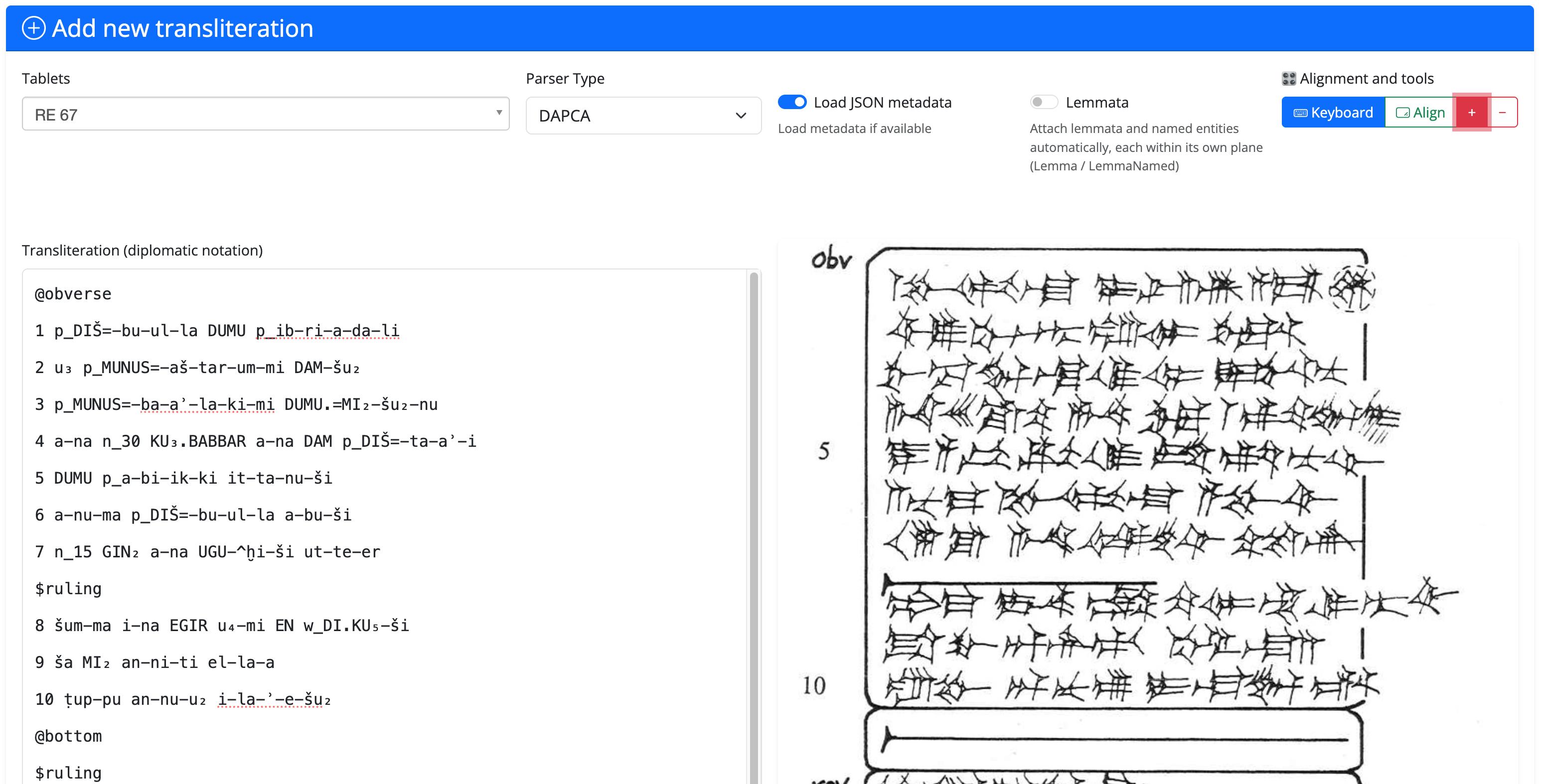
The notation itself — line and face syntax, sign separators, breakage and restoration
brackets, the class markers p_, f_, d_, g_, m_ — is documented in
Transliteration encoding.
2. Preview before you save
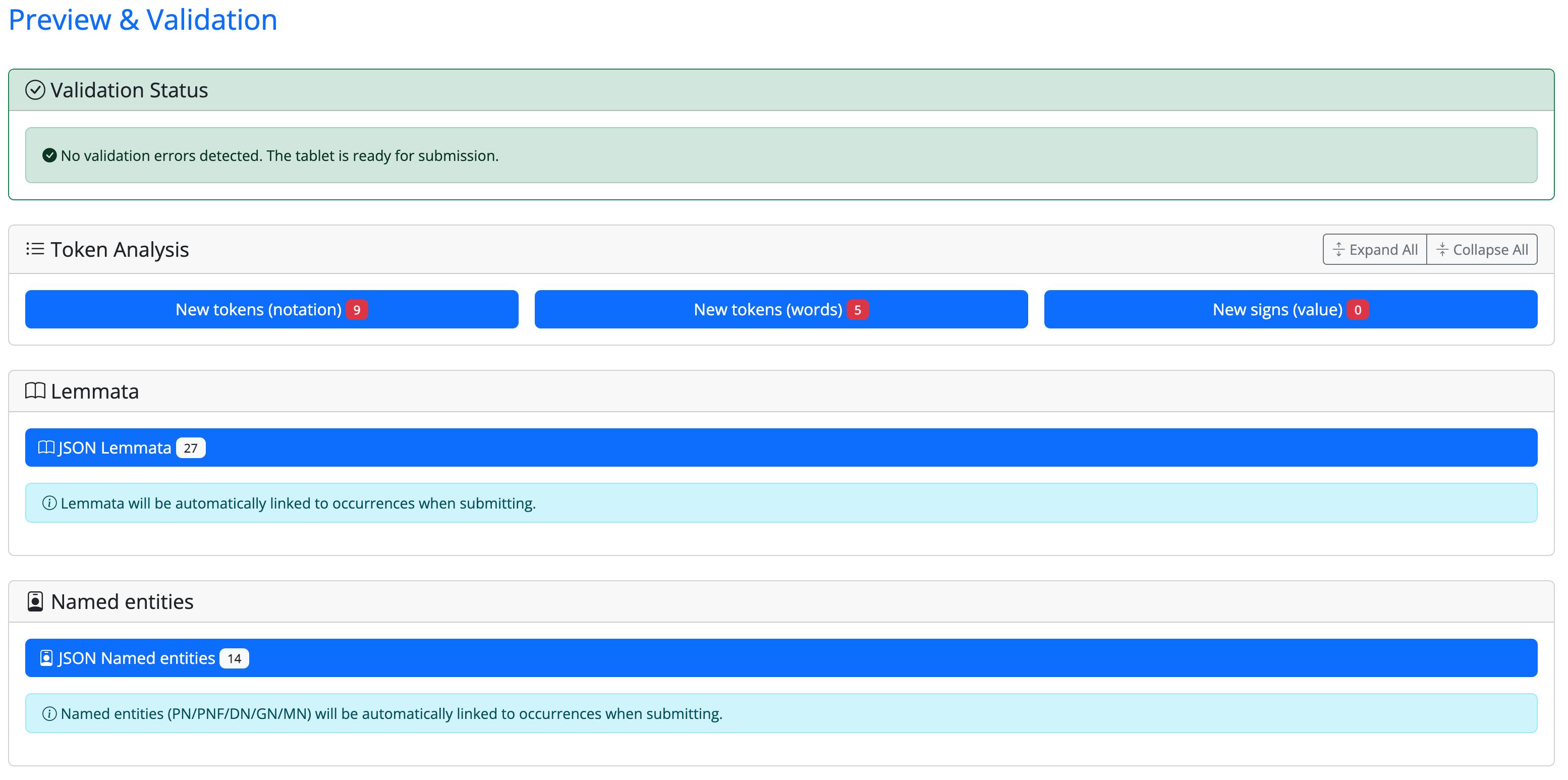
Preview parses the text without writing anything, and reports:
- validation errors — malformed lines, line numbering that does not add up, parsing failures, each with its line number. While there are errors the save button stays disabled: a text is imported clean or not at all;
- token analysis — how every line was cut up, token by token;
- new notations, new signs, new words — what this text introduces that the corpus has never seen before. This list is the most useful thing on the page: an unexpected entry in it is usually a typo, not a discovery.
Preview
Sign Details Analysis
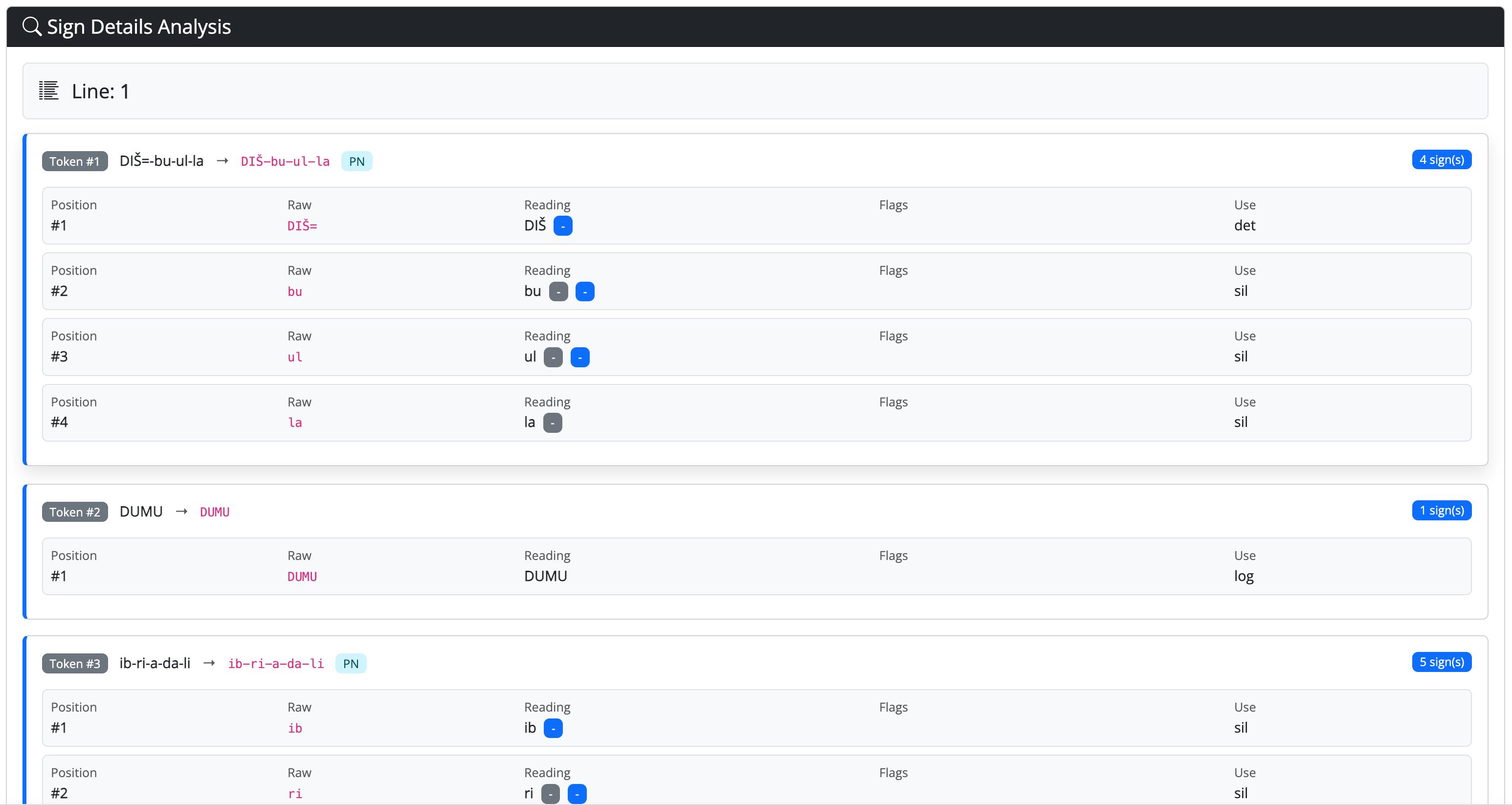
Read the preview before saving. After saving, the same corrections have to be made one token at a time in Edit tablet.
3. Automatic lemma attachment
With Lemmata ticked, the importer tries to attach each token to an entry that already exists. It never creates lemmata or name forms — it only reuses what the corpus already has, and it does so from two sources, in order: the tablet's backup file, then the rest of the corpus.
The two planes never cross: a token classified as a proper name can only receive a name form, an ordinary word only a lemma. Which of the two applies is decided by the token's class — that is, by the markers written in the transliteration.
Three limits to keep in mind:
- Homonyms. When one written form points to several different entries in the corpus, the importer takes the most frequently attested one and flags the word so that you can check it in the Lemmatizer. It is a reasonable guess, not a decision.
- Empty tokens are skipped. Breaks and empty tokens have no written form, and since the lookup keys on the written form they are left alone deliberately.
- It is a starting point, not a result. What the importer attaches is what was already known; everything genuinely new to this text still has to be lemmatised by hand.
4. The backup file, and the delete → re-import cycle
Each tablet has a backup file on the server, <id>_annotations.json, holding its
annotations together with the lemmata and name forms attached to its tokens.
When a tablet is deleted, that file is written first, and the deletion only proceeds if it was written successfully. Everything else goes: lines, tokens, sign readings, annotations. The file is what remains.
When the text is imported again, Load JSON metadata reads it back and restores the interpretive layers onto the newly parsed tokens — the annotations, and the lemma assignments matched by written form. This is why the cycle works at all:
Two things the file does not do
It is not a copy of the tablet's catalographic record, which lives in the database and is not affected by any of this.
It does not guarantee that everything comes back. The link between an annotation and its tokens is re-established from the text; if the transliteration you re-import differs from the one that was deleted, what no longer matches is not restored.
Older tablets have a backup file written before name forms existed as a separate layer: those files carry only the lexical lemmata. They can be brought up to date in batch by an administrator, without touching the texts.