Interactive Data Exploration Interface
Danger
This section needs major adjustments due to the complexity of the catalog architecture and the need for a more intuitive user interface.
The table of contents (right column) must also be re-organized accordingly.
1. The main catalog
The catalog main interface ( ) represents a sophisticated implementation of dynamic data exploration capabilities, designed to facilitate both rapid browsing and complex analytical queries across the entire documentary corpus.
Main Catalog
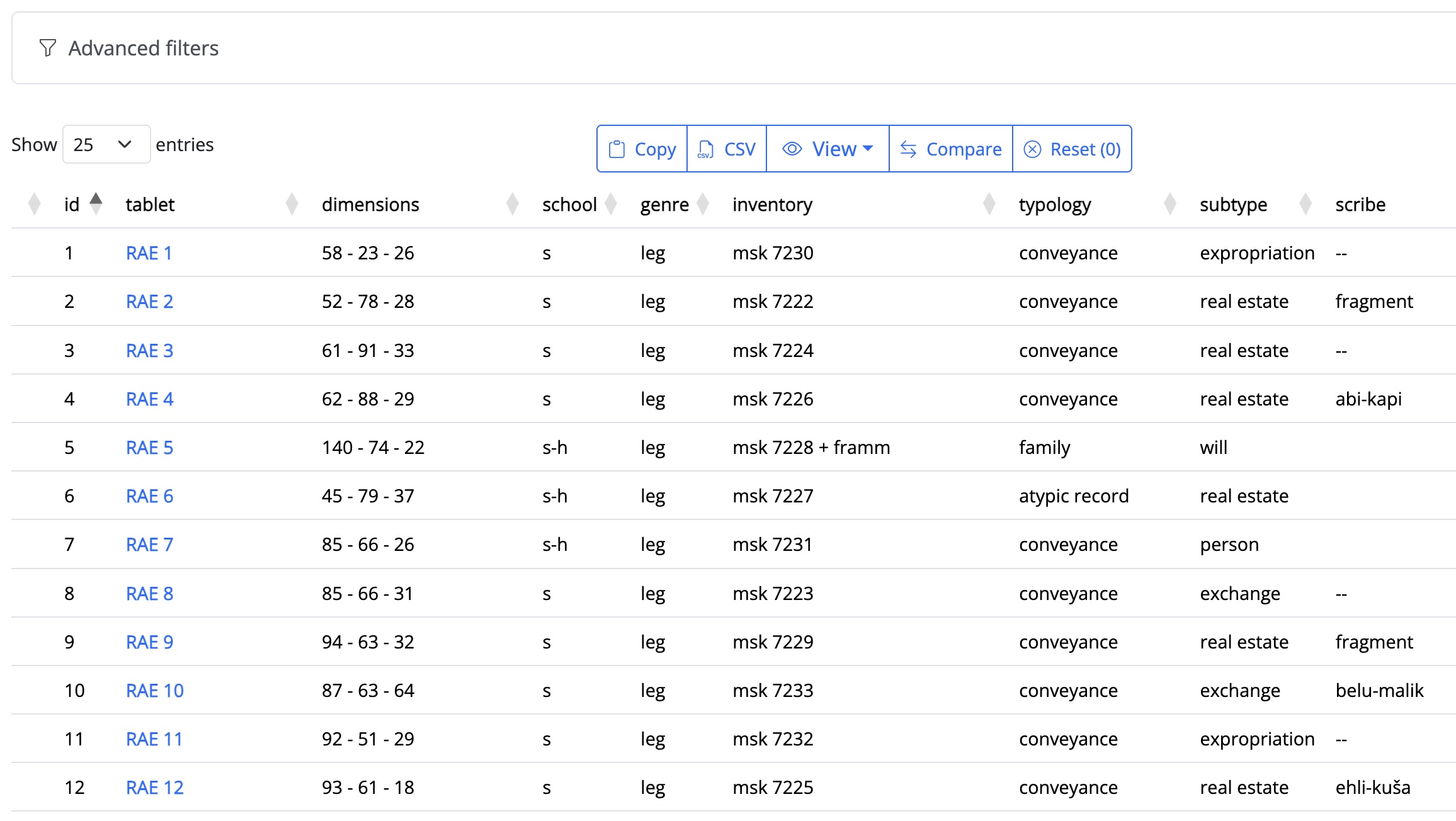
The catalog architecture is fundamentally organized around the tablet as the primary analytical unit. Each tablet entry is systematically documented through a comprehensive array of properties encompassing –when available– physical characteristics (dimensions, state of preservation), paleographic features (scribal school, handwriting characteristics), textual classification (genre, subgenre, typology), archival metadata (museum inventory numbers, publication history), and contextual information (archaeological provenance).
2. Multi-dimensional filtering system
The platform implements an advanced filtering architecture, allowing users to construct complex queries through an intuitive graphical interface. The cascading filter logic ensures that available options reflect the current selection state, guiding users toward viable query combinations while displaying result counts for each potential refinement.
Advanced filters
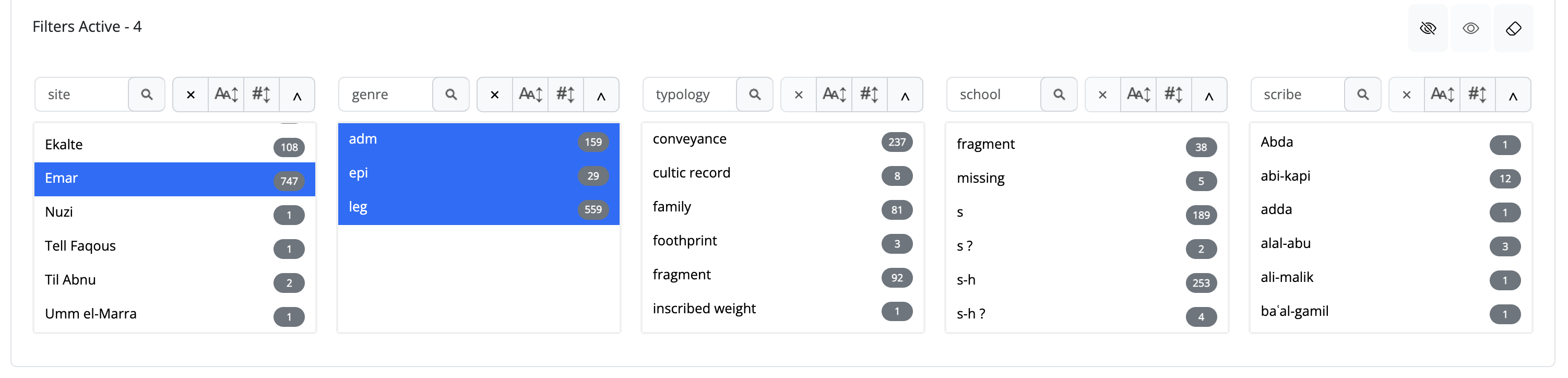
Users can search individual properties or combine multiple criteria to construct increasingly complex document clusters. For instance, a researcher might retrieve all administrative texts from a specific scribal school within a defined chronological range, or identify all tablets sharing particular dimensional characteristics and genre classifications.
The system's flexible architecture supports both simple single-property queries and elaborate multi-criteria searches, accommodating research questions of varying complexity while maintaining consistent response performance across the corpus.
3. Flexible data visualization (from here a technical explanation follows)
TODO
add images or, even better, animated gifs to different points!
The interface provides multiple viewing modes and export capabilities.
- Users can toggle column visibility to focus on specific aspects of the dataset,
- select individual documents for detailed comparison,
- and export filtered results for external analysis.
Each document entry is enriched with direct links to full text transliterations, annotation files, and —for authenticated researchers with appropriate permissions— administrative functions for content editing and management.
1. Context-aware result presentation
Document listings adapt dynamically based on data availability. Tablets with complete transliterations are visually distinguished through bold typography and direct links to full-text views, while all entries maintain consistent access to core metadata including dimensions, typology classifications, scribal attribution, and bibliographic references. The natural sorting algorithm ensures that document identifiers (which often combine alphanumeric sequences) are ordered intuitively rather than lexicographically.
2.State management and query persistence
The system maintains comprehensive awareness of user interaction state, tracking active filters, selected documents, and global search terms. A unified reset mechanism provides clear feedback on the number of active constraints and enables single-click restoration of the default view. This approach minimizes cognitive load while supporting complex, multi-step exploratory workflows.